Make Your Posts Better With AI
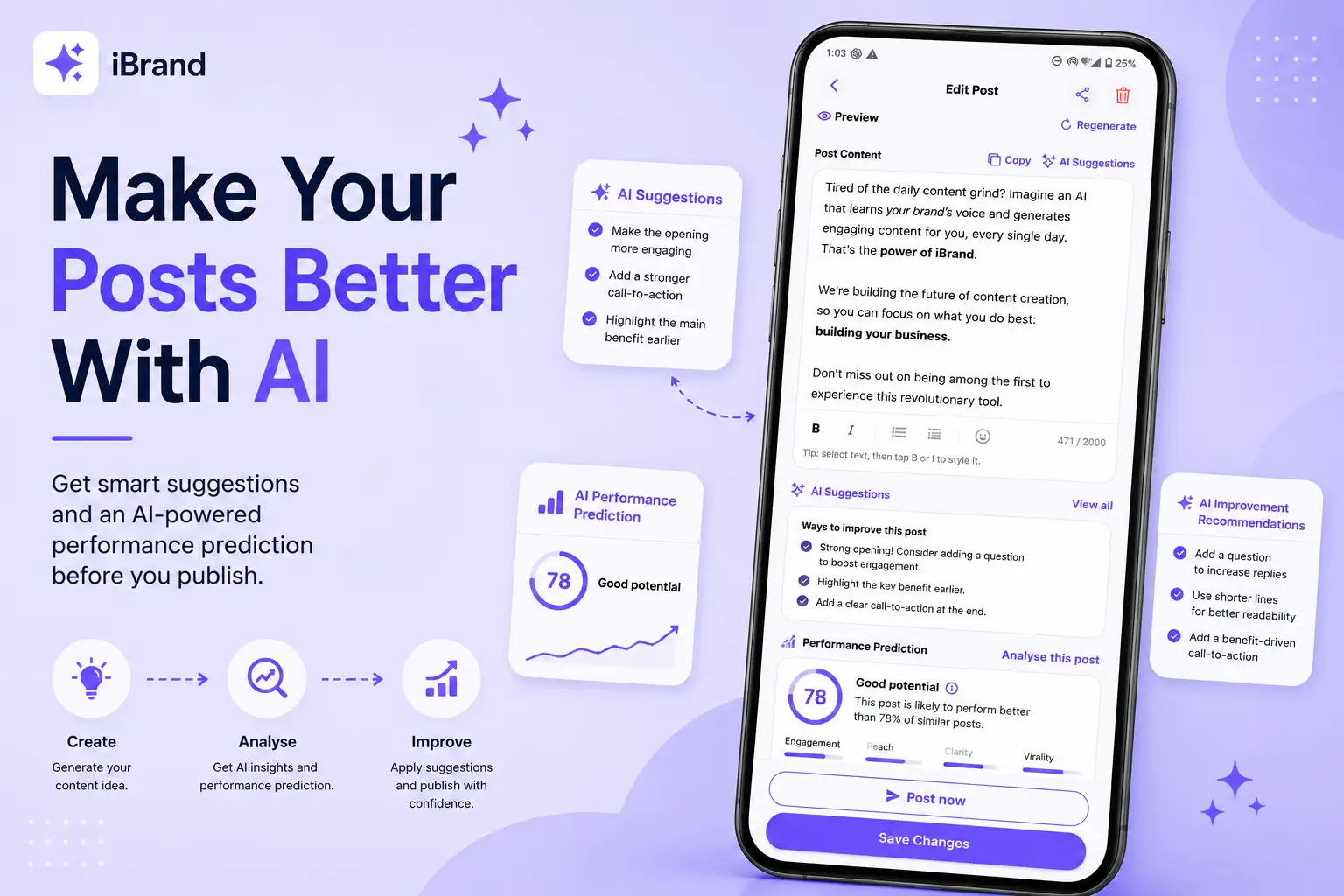
Creating a post is only the beginning. 🧠 iBrand can help you improve it before you publish.
Get ai suggestions
Open your post
Tap the post you want to improve.
Tap AI Suggestions
You'll find AI Suggestions in the Post Content section.
Get improvement ideas
iBrand analyzes your content and gives you suggestions to make the post clearer, stronger, or more engaging.
Make your changes
Use the suggestions as inspiration, then edit your post however you like.
Predict your post's performance
Want another perspective?
Tap Analyse this post under Performance Prediction.
iBrand will provide an AI-based estimate of how the post could perform and suggest ways to improve it.
⚠️ Remember: Performance Prediction is an AI estimate, not actual social media performance data.
Pro tip
Don't use AI suggestions just to make your post longer.
Use them to ask:
🎯 Is the message clear?
👀 Does the opening grab attention?
💬 Does it encourage people to respond?
🚀 Is the call-to-action strong?
Create → Analyse → Improve → Publish.