Create Content for Every Platform
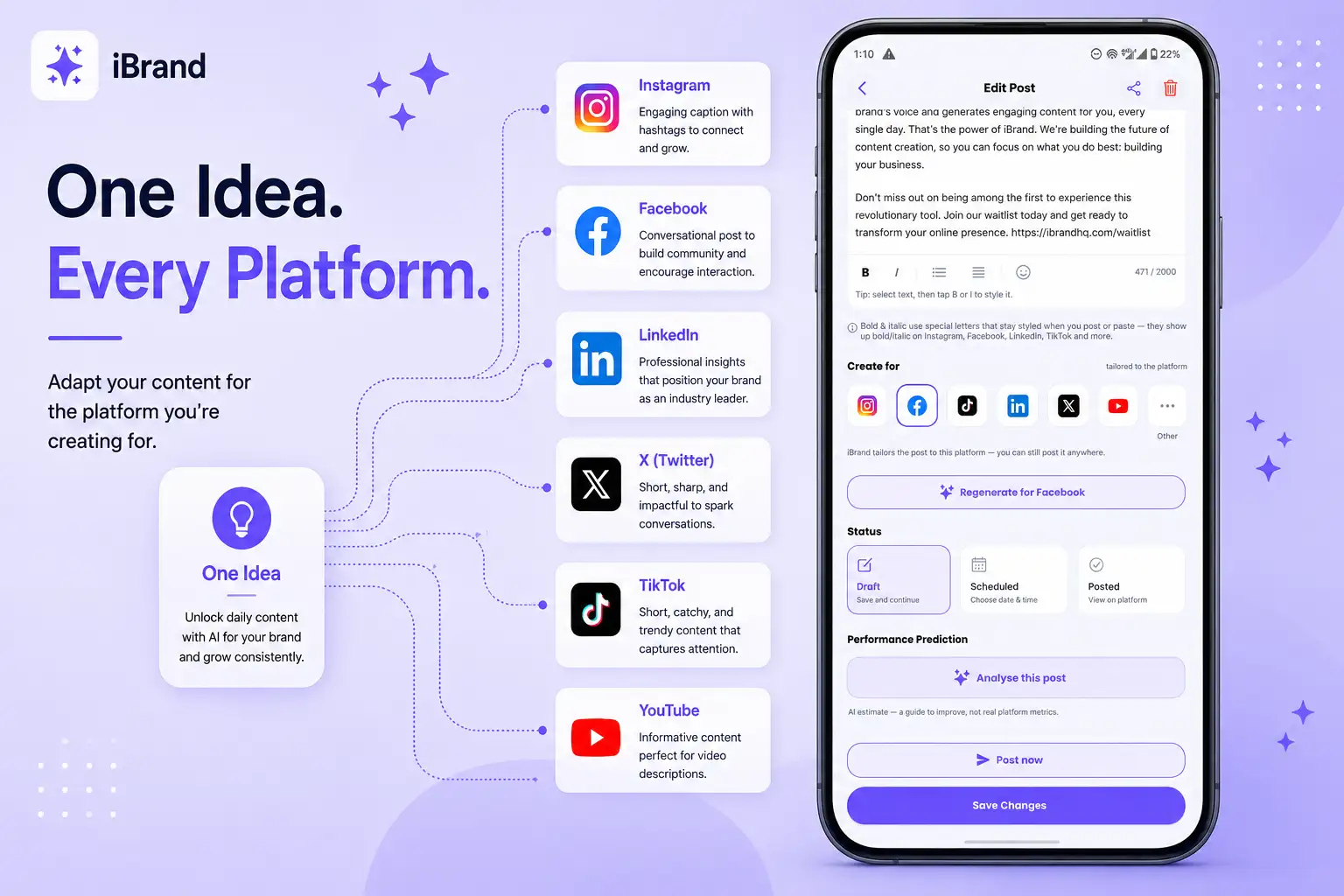
One idea can become content for your entire social presence. 📱
iBrand lets you choose the platform you're creating for and regenerate your content to better fit that platform.
How it works
Open your post
Tap the post you want to adapt.
Choose a platform
In the Create for section, select the platform you want to create the content for.
Regenerate
Tap Regenerate to create a version tailored to your selected platform.
Switch platforms
Want another version? Select a different platform and regenerate again.
Why this matters
Different platforms have different audiences and content styles.
💼 LinkedIn may need a professional, thought-provoking approach.
📸 Instagram may benefit from a more visual and engaging caption.
🎵 TikTok content can be shorter, faster, and more conversational.
▶️ YouTube may need content designed around video and titles.
iBrand helps you adapt your message instead of simply copying the same post everywhere.
🚀 One idea. Multiple platforms. Content that fits.